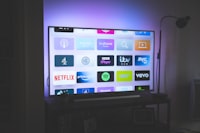
Most people sign up for IPTV for live channels, then discover a second universe hidden in the app: VOD — video on demand. Instead of waiting for a broadcast, you pick a movie or series and it plays instantly, the same way Netflix works. Many subscriptions include thousands of titles, which makes VOD a major part of the value. This guide explains what VOD on IPTV is, how it differs from live TV and catch-up, how to find and use it in your player, and how to get the best picture out of it in 2026.
VOD = movies and series you can play any time, stored in a library inside your IPTV app. It is separate from live TV and separate from catch-up (which only replays recent programs from live channels). Check the VOD or Movies & Series tab in your player — that's the full on-demand collection your subscription includes.
VOD vs Live vs Catch-Up: The Three Modes
IPTV subscriptions bundle three different ways to watch, and it helps to keep them apart:
| Mode | What It Is | Example |
|---|---|---|
| Live TV | Broadcast channels streaming in real time | Watching the evening news at 7pm |
| VOD | An on-demand library of movies and series | Browsing 80,000 titles and pressing play on one |
| Catch-up | Replay of recent programs from live channels | Rewinding a match you missed an hour ago — more here |
They use different parts of the player interface and different server infrastructure, which is why one can lag while the others stream perfectly. The IPTV glossary has all the terms in one place.
Where VOD Lives in Your Player
Players organize VOD differently, but the pattern is consistent:
- Look for the VOD / Movies tab — in IPTV Smarters it's usually a separate "Movies & Clipboard" area; in TiviMate it appears as a category alongside your channel groups; in GSE and IBO it's a dedicated section.
- Search and filter — most players offer title search, genre filters, and sorting by year or quality. On huge libraries this matters — see our channel finder guide for the same techniques applied to live channels.
- Pick a version — big libraries list the same movie several times: different audio tracks, qualities (HD/FHD/4K), or editions. The highest quality needs the fastest link — our bandwidth calculator shows what to budget.
VOD Quality: Getting the Most Out of the Library
- Check the stream quality like you would live TV — apply the same 4K settings guidance from our 4K IPTV guide: wired or strong Wi‑Fi, matching frame rate, correct resolution.
- Subtitles — if a title has subtitles, they load with the stream metadata; issues usually mean picking a different version of the title.
- Resume functionality — most players remember where you stopped, but only per device. Switching from the TV to your phone mid-film may start it over.
- Downloads are usually not a feature — IPTV VOD streams from the provider; it doesn't store files on your device. For saving things, catch-up and recording cover the local side.
The same library is labelled many ways across apps and providers: VOD, Movies & Series, On Demand, CAT (catalogue) or SERIES if it's split. If your app shows more than one, they point at the same collection. Anything labelled catch-up is the different feature described above — not part of VOD.
Is IPTV VOD a Replacement for Netflix?
It depends what you want. IPTV VOD is huge in raw title count and usually covers far more niche and regional content than the big streaming apps, but the experience differs: the library is organized more like a catalogue than a curated service, titles rotate, and new-release windowing varies. Our IPTV vs Netflix breakdown digs into which one belongs in each corner of your viewing. For many people the answer is both — live and VOD from IPTV, plus a streaming app for its originals.
Frequently Asked Questions
Is VOD included at no extra cost?
Usually yes — provider plans quote "live + VOD" together. Read your plan carefully though; some cheap packages include live channels only, or count VOD as an add-on. Ask outright before you pay — our cost guide covers what plans really include.
Why are some movies missing from the library?
VOD rotating is normal: rights windows and licensing mean titles come and go, like any streaming service. If a specific title vanishes, it isn't generally fixable; this is expected catalogue churn. A data-conscious household will also notice 4K VOD eats noticeable bandwidth vs live SD.
Can I watch VOD on any of my devices?
If your plan allows multiple devices, yes, on players that show the VOD section. Note that each app logs in to the same account, so your favorites and progress may not sync across apps — a minor quirk of most IPTV players today.
Does VOD use a lot of data?
Movies are long and often HD or 4K, so a couple of titles can equal many hours of live TV. Our IPTV data usage guide breaks down the numbers by quality so you can plan.
Conclusion
VOD is arguably the hidden gem of IPTV subscriptions — tens of thousands of movies and series sitting one tab away. Treat it as its own mode: find it in your player, use search and version selection to get the right copy, and pick your plan by library size and quality, not just channel count. Done right, IPTV gives you live TV and a streaming library in one subscription.
Want a plan with both sides covered? Explore Earnest IPTV plans — 18,000+ live channels and 80,000+ movies & series in up to 4K, with transparent rights-backed licensing.