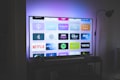
Smart TV
Samsung, LG, Sony, and all Android TVs
Open your TV's app store
Navigate to the app store on your Smart TV. For Samsung it's the Samsung App Store, for LG it's the LG Content Store, for Android TVs open the Google Play Store.
Search for "IPTV Smarters Pro" or "TiviMate"
Use the search function to find a compatible IPTV player. We recommend IPTV Smarters Pro or TiviMate for the best experience.
Install and open the app
Click Install and wait for the download to complete. Once installed, open the app.
Enter your credentials
When prompted, select "Login with M3U URL" or "Login with Xtream Codes API" and enter the details we sent to your email/WhatsApp after purchase.
Server: http://your-server.com:portUsername: your_usernamePassword: your_password
Start watching!
The app will load all channels and VOD content. Browse categories on the left and enjoy your streaming experience.
Amazon Firestick
Fire TV Stick, Fire TV Cube, and Fire TV Edition
Enable unknown sources
Go to Settings > My Fire TV > Developer Options and turn on "Apps from Unknown Sources". This is required to install IPTV Smarters.
Install Downloader app
Search for "Downloader" in the Amazon App Store and install it. This app lets you sideload other applications.
Download IPTV Smarters APK
Open Downloader, enter the URL iptvsmarters.com or search for "IPTV Smarters APK download" and download the latest version.
Visit IPTV Smarters websiteInstall and launch
Once downloaded, Downloader will prompt you to install. Click Install, then Open.
Enter your login details
Choose "Login with Xtream Codes API", enter the server, username, and password from your welcome email, and hit Login.
Server: http://your-server.com:portUsername: your_usernamePassword: your_password
Done! Enjoy your content
All channels, movies, and series will load automatically. Use the menu to navigate between Live TV, Movies, and Series.
Android Phone & Tablet
All Android devices running Android 5.0+
Open Google Play Store
On your Android device, open the Google Play Store app.
Search for "IPTV Smarters Pro"
Search and install IPTV Smarters Pro from the Play Store. Alternatively, you can use TiviMate or OTT Navigator.
Open and accept permissions
Launch the app and accept any required permissions for storage and media access.
Login with your credentials
Select "Login with Xtream Codes API" and enter your server details from the welcome email.
Server: http://your-server.com:portUsername: your_usernamePassword: your_password
Start streaming
Content loads automatically. You can now watch live TV, movies, and series on the go.

iPhone & iPad (iOS)
iOS 13.0 and later
Open the App Store
Launch the App Store on your iPhone or iPad.
Search for "IPTV Smarters"
Search for IPTV Smarters or IPTVX and install it. You can also use GSE Smart IPTV which is free.
Open the app
Launch the app after installation. Accept any permissions requested.
Enter your login details
Select "Login with Xtream Codes API" and input the credentials sent to you.
Server: http://your-server.com:portUsername: your_usernamePassword: your_password
Enjoy streaming!
Your channel list and VOD library will load. Browse, search, and watch from anywhere.

PC & Mac
Windows, macOS, and Linux computers
Open your web browser
Use Google Chrome, Firefox, or Safari for the best experience.
Download IPTV Smarters for Desktop
Visit iptvsmarters.com and download the desktop version for Windows or Mac. Alternatively, use the web player.
Download IPTV SmartersInstall and open
Run the installer and follow the on-screen instructions. Launch the app once installed.
Login with your credentials
Select "Login with Xtream Codes API" and enter your server details.
Server: http://your-server.com:portUsername: your_usernamePassword: your_password
Start watching
Everything loads automatically. You can now enjoy IPTV on your computer with full keyboard and mouse support.

MAG Box
MAG 254, MAG 322, MAG 420, and compatible set-top boxes
Power on and connect
Connect your MAG box to your TV via HDMI and to your router via Ethernet (recommended) or WiFi. Power it on.
Open Settings
From the home screen, go to Settings > System Settings > Servers > Portal.
Enter the portal URL
In the Portal URL field, enter the server URL provided in your welcome email.
http://your-server.com:port/c/
Restart the portal
Go back and select "Restart Portal". The box will reboot and connect to the server.
Start watching
After the portal loads, you'll see the full channel list and VOD library. Navigate using your MAG remote.

Kodi
Kodi 19+ on any platform
Install PVR IPTV Simple Client
Go to Add-ons > Install from repository > Kodi Add-on Repository > PVR clients > PVR IPTV Simple Client and install it.
Configure the add-on
Right-click on PVR IPTV Simple Client, select Configure, go to General, and enter your M3U Playlist URL in the appropriate field.
http://your-server.com:port/get.php?username=xxx&password=xxx&type=m3u_plus
Restart Kodi
Close and reopen Kodi. The PVR client will load all channels from your M3U playlist.
Watch live TV
Go to TV > Channels and browse your full channel list. You can also use the EPG (Electronic Program Guide) for schedules.