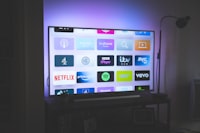
Your Android phone or tablet is genuinely one of the best IPTV devices you already own. You don't need a box to get started — a good Android app plus your provider's login is enough to have your full channel list running in minutes. This guide walks through picking the right player, loading your M3U or Xtream details, casting to the TV, and getting smooth playback wherever you sit.
Three things: an IPTV player app (IPTV Smarters Pro, TiviMate or XCIPTV), your provider's Xtream login or M3U playlist link, and a stable internet connection. No rooting, no PC required. If you're new to IPTV in general, start with our explainer and the full setup guide.
Why Android Phones and Tablets Are Perfect for IPTV
- Zero extra hardware — most people already own an Android phone or tablet, so setup costs are nothing.
- Screen variety — watch on the phone, or prop up a tablet on a stand for a personal TV.
- Cast to the big screen — with a Chromecast or Android TV you can push playback to the TV without a separate box.
- Works anywhere — mobile data means your channels follow you on trains, commutes and trips.
Phones and tablets run the same Android IPTV apps as TV boxes, so everything in the complete Android guide applies here too.
For Phones and Tablets: Recommended IPTV Players
| App | Best for | Free? (phone/tablet) |
|---|---|---|
| IPTV Smarters Pro | Simplest setup & multi-login | Yes |
| XCIPTV Player | Friendly interface for beginners | Yes |
| TiviMate | TV-style EPG on tablets & boxes | Free trial |
| Televizo | Lightweight on old phones | Free |
Compare the two most popular apps side by side in our IPTV Smarters vs TiviMate vs XCIPTV article.
Step 1 — Install the App
- Open the Play Store on your phone or tablet (most players are listed there). For TiviMate, sideload the APK from its official site or a downloader — it's not on the Play Store.
- Search "IPTV Smarters Pro" (or your app of choice) and tap Install.
- Launch it and pick your login method. You'll see two options: Load Your Playlist or File/URL (M3U) and Xtream Codes API (a server URL, username and password).
Don't remember which format your provider uses? Our Xtream vs M3U guide explains both and how to get each.
Step 2 — Sign In With Your Provider Details
With an Xtream login (most common)
- In the app, choose Xtream Codes API / Login with Xtream.
- Enter the server URL, your username and password, exactly as sent by your provider — they're case-sensitive.
- Tap Sign in. Your live TV, VOD and series sections will populate automatically.
With an M3U playlist
- Choose Load Your Playlist or File/URL.
- Paste the full M3U URL your provider gave you (don't use "s/(a)bc" portal shorthand), or upload the
.m3ufile from your downloads. - Let the app parse it — this can take a few seconds on large lists.
Your provider's portal URL, username and password are the same across all your devices. Save them somewhere secure — you'll re-enter them every time you set up a new phone, tablet or TV box.
Step 3 — Cast to the TV or Use Your Tablet as a TV
Cast from the app
- Make sure your Android TV or Chromecast is on the same Wi-Fi network as your phone/tablet.
- Start playing a channel in the app, then look for the cast icon (a rectangle with Wi-Fi waves) or open Settings > Cast.
- Pick your TV — playback moves to the big screen while the phone becomes a remote.
Build a cheap "tablet TV"
- Use a tablet stand or wall mount in the kitchen or bedroom.
- Keep the app in landscape and set the screen to stay awake while charging.
- Plug in a speaker for better sound than the tablet's own speakers.
Step 4 — Fix Common Android IPTV Problems
- Buffering — switch to 5GHz Wi-Fi or mobile data, lower the stream quality in the app, and clear the app cache (Settings > Apps > [player] > Storage > Clear cache). Full guide: why IPTV buffers and how to fix it.
- No sound — unmute, restart playback, and check the audio track in the player. More: fix IPTV no sound.
- Stopped channels / "no signal" — refresh the playlist in the app, then restart. See IPTV error codes.
- App closes on old devices — kill background apps and use a lightweight player like Televizo.
Streaming IPTV on mobile data can burn through gigabytes fast — HD channels run about 1.5 GB per hour, 4K more. In how much data IPTV uses we break down the exact numbers. Use Wi-Fi at home and keep an eye on your plan away from it.
Using a VPN on Android for IPTV
If you want extra privacy or a smoother connection, a VPN on the phone is easy: install the VPN app, connect before opening the player, and your IPTV traffic is encrypted. Android VPNs also help when a provider blocks access from your region. See the best VPNs for IPTV for tested options.
Frequently Asked Questions
Do I need a special app to watch IPTV on Android?
Yes. Android needs an IPTV player app to read your M3U playlist or Xtream Codes login. The most popular choices are IPTV Smarters Pro, TiviMate and XCIPTV Player, all free from the Play Store or file providers.
Can I watch IPTV on my Android phone and tablet at the same time?
Yes, but it depends on your subscription. Some providers add a connection limit (usually 1 or 2 devices). With Earnest IPTV you can watch on multiple devices; check with your provider if you plan to stream phone and tablet simultaneously.
Why is my IPTV app buffering on Android?
Buffering on Android usually comes from weak Wi-Fi, video in high bitrate your connection can't hold, or a busy player cache. Switch to 5GHz Wi-Fi or mobile data, set the stream to a lower quality in the app, and clear the app cache from Android settings.
Does an IPTV subscription work on an Android TV box too?
Yes. Android TV boxes run the same Android apps, so you can install the same IPTV player and log in with the same details. Your subscription is not stuck to one device type.
Conclusion
Watching IPTV on Android is a matter of three steps: install a player, enter your Xtream or M3U login, and press play. Phones and tablets are the fastest way to test a provider or watch on the move, and with casting they handle the living-room TV just as well as a box. Set it up once on your phone, then reuse the same login everywhere else.
Want a subscription that works across all of them? Check Earnest IPTV plans — 18,000+ live channels and 80,000+ movies & series, streamable on any Android device.