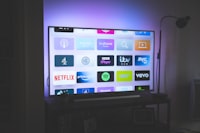
The NVIDIA Shield is widely considered the single best streaming box you can buy for IPTV. It runs full Android TV, so it accepts every serious player app — TiviMate, IPTV Smarters, GSE and more — and unlike cheaper boxes it has the horsepower to play 4K streams, handle giant channel lists, and run for hours without stuttering. That power has a price though, and setting it up wrong wastes exactly the advantage you paid for. This guide walks through IPTV on NVIDIA Shield in 2026: choosing the model, picking the right player, configuring your playlist, and tuning the best picture quality.
Install IPTV Smarters Pro first for the fastest working setup, then optionally TiviMate for the best EPG and channel-group experience. Both install from the Google Play Store on the Shield. Enter your Xtream portal or M3U URL, enable your provider's 4K streams, and you're watching.
Shield TV vs Shield Pro: Which Model Do You Need?
There are two current models, and the right choice depends on how you use the box.
| Model | Best For | What It Adds |
|---|---|---|
| Shield TV | Mainstream IPTV and streaming | Compact, 4K HDR, 2 GB RAM — plenty for most players and playlists |
| Shield TV Pro | Power users, Plex servers, big libraries | 3 GB RAM, USB ports for external storage and recording, built-in Plex server role |
For watching IPTV alone, the standard Shield TV is enough. The Pro earns its extra cost if you also run your own Plex/Emby server, keep huge playlists, or want to record channels to a USB drive with headroom. Whichever you own, the setup steps below are identical.
Step 1: Install an IPTV Player
Open the Google Play Store on the Shield's home screen and install one of these players:
- IPTV Smarters Pro — the best first choice. Supports Xtream portals, M3U URLs and local files, with EPG, multi-screen and parental controls. Our parental controls guide explains the lock features.
- TiviMate — the enthusiast pick. The best channel grid and EPG in the business, catch-up, custom groups, multi-view. The premium tier (around $11/year) unlocks everything.
- IBO Player — great value with multi-playlist support and picture-in-picture on Android TV.
For a full comparison of how these and others stack up across every device, see our best IPTV player apps guide.
Step 2: Load Your Playlist
Whichever app you chose, you need to give it the credentials your provider sent. The two common formats:
- Xtream Codes — a portal URL, username and password. Most providers prefer this because it keeps the channel list and EPG synced. Our Xtream vs M3U guide explains the difference.
- M3U URL — a single playlist link. Works in every player; if you only have portal credentials, convert them with our Xtream-to-M3U converter.
In Smarters choose Login with Xtream Codes or Load Your Playlist; in TiviMate choose Add Playlist and enter the details. Then let the app load the channel list and EPG — the Shield handles even very large lists comfortably.
A giant list doesn't guarantee the quality you see. If channels look soft, check your provider's sources for FHD/UHD variants (see our 4K IPTV guide), and confirm the Shield's display settings match your TV's resolution and refresh rate. Otherwise the Shield can upscale, but it can't invent detail that isn't in the source.
Step 3: Tune the Shield for IPTV
A few minutes of settings work make the biggest quality difference:
- Display settings — set the Shield to 2160p (your TV's native resolution) with the matching refresh rate, usually 4K60.
- Match frame rate — in player settings, enable frame-rate matching so movies at 24 fps play at 24 fps instead of being converted to 60. Some players call this "frame rate matching" or "refresh rate switching".
- RGB range — choose Full for a TV over HDMI, Limited if your TV demands it; wrong bus range is the classic cause of washed-out or crushed blacks.
- Network — use Ethernet if you can; the Shield has Gigabit Ethernet and wired beats Wi‑Fi for constant 4K buffers. If you must use Wi‑Fi, use the 5 GHz band and keep the router close — our speed test guide shows what your link can really hold.
Step 4: Set Up a VPN (Optional but Smart)
Shield is rare among media boxes: it supports VPN apps directly from the Play Store. Install your VPN, connect, and every player on the box is protected. Set up split tunneling if your VPN offers it so only the IPTV app routes through it. Picking a fast enough service matters for stream quality — see our best VPN for IPTV roundup and how to pair VPN and IPTV.
Recording and Storage on Shield Pro
The Pro's USB ports are the big IPTV advantage. Plug in a USB drive (or use network storage) and players like TiviMate can record scheduled shows to disk, exactly like a DVR. Storage math: roughly 0.7 GB per hour of SD, 1–3 GB per hour of HD, up to 10 GB for 4K. Our recording guide covers the mechanics in detail.
Frequently Asked Questions
Is the NVIDIA Shield worth it just for IPTV?
Compared to a $30 Fire Stick, the Shield costs several times more, so if you only watch TV and never game or run Plex, a cheaper Android box is 90% as good for a fraction of the price — see our device comparison. The Shield earns its price when you watch a lot of 4K, run a media server, or hate buffering.
Does TiviMate work on Shield?
Yes — TiviMate is Android TV first and the Shield is its most comfortable home. Install it from the Play Store, add your playlist, and enable the premium tier for the full feature set, including multi-playlist and all channel groups.
Can I use the same subscription on Shield and my phone?
Usually yes, within your provider's simultaneous-stream limits. Most plans allow multiple devices on one account; when travelling you can even cast your phone to the Shield — our iPhone guide covers the app side.
Why do some channels buffer on Shield when nothing else does?
Shield hardware is rarely the cause. Check the channel's source quality, your network link, and whether your VPN is on. If one specific channel stalls while others stream, it's usually the source — our no-signal guide helps isolate it.
Conclusion
The NVIDIA Shield is the closest thing to a perfect IPTV box in 2026: powerful, future-proof, and compatible with every serious player. Set it up properly — the right model for your needs, Smarters or TiviMate installed, playlist loaded in the correct format, display and frame-rate tuned, wired network — and you get consistently excellent live TV. Pair it with a quality subscription and it will outlast your TV.
Ready to see how a well-configured service performs on Shield? Explore Earnest IPTV plans — 18,000+ live channels and 80,000+ movies & series in up to 4K, with transparent rights-backed licensing.